
Serato DJ for iOS: Hardware Compatibility and Pricing Explained
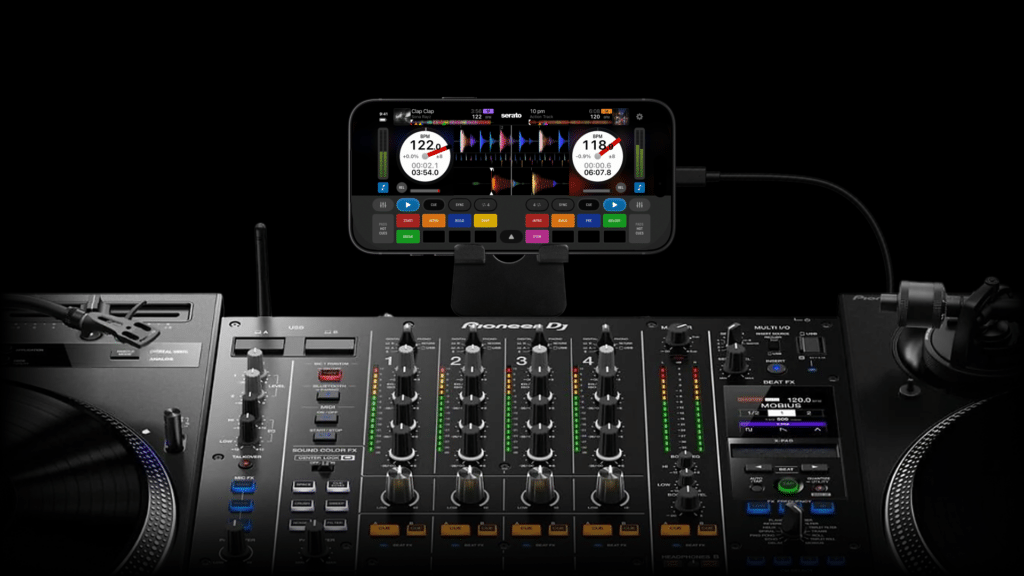
You’ve got the app. Let’s get you set up.
Serato DJ for iOS works with more than 120 controllers, mixers, turntables, and standalone units from the brands you already play on, including AlphaTheta, Pioneer DJ, Denon DJ, Numark, Hercules, and more. That covers everything from a compact controller in your at-home setup to a DVS on a club mixer.
Below, find out whether your DJ hardware works with Serato DJ for iOS, which cable or adapter you need, and which pricing plan fits how you play.
To compare the free and paid versions of Serato DJ for iOS, skip to the Pricing Section.
Skip to section:
Hardware Compatibility 101
Find your gear, check how it connects, and see what each symbol means.
Navigate the hardware list with this key:
* = OSA device.
Requires a connected primary device and an active Serato DJ Suite license or subscription.
† = DVS-only device.
Requires an active Serato DJ Suite license or subscription.
No symbol: Supported as a primary device.
Get the most out of your DJ hardware. Full access to all Pad modes, 60+ FX, Stems FX and more, comes with the paid version of Serato DJ for iOS. Available as a one-time purchase or with a Serato DJ Suite license or subscription.
Compatible Controllers, Mixers, and More
A comprehensive list of all the supported hardware that works with Serato DJ for iOS. Find your hardware below, listed by brand.
Skip to:
Akai
- Akai Pro AFX *
Allen & Heath
- Allen & Heath Xone:K1 *
AlphaTheta
- AlphaTheta DDJ-FLX2
- AlphaTheta DDJ-GRV6
- AlphaTheta DJM-V5 †
- AlphaTheta Euphonia †
- AlphaTheta OMNIS-DUO
- AlphaTheta SLAB *
- AlphaTheta XDJ-AZ
Denon
- Denon DJ DS1 †
- Denon DJ LC6000 PRIME *
- Denon DJ MC2000
- Denon DJ MC4000
- Denon DJ MC6000MK2
- Denon DJ MC7000
- Denon DJ MCX8000
- Denon DJ PRIME 4
- Denon DJ PRIME 4+
- Denon DJ SC Live 2
- Denon DJ SC Live 4
- Denon DJ X1800 PRIME †
- Denon DJ X1850 PRIME †
Gemini
- Gemini Slate
- Gemini Slate 4
Hercules
- Hercules DJControl Inpulse 200
- Hercules DJControl Inpulse 200 MK2
- Hercules DJControl Inpulse 200 MK3
- Hercules DJControl Inpulse 300
- Hercules DJControl Inpulse 300 MK2
- Hercules DJControl Inpulse 500
- Hercules DJControl Inpulse T7
- Hercules DJControl Starlight
- Hercules DJControl T10
Mixars
- Mixars DUO (incl. MKII) †
- Mixars PRIMO
Novation
- Novation Dicers *
Numark
- Numark Dashboard *
- Numark DJ2GO2
- Numark DJ2GO2 Touch
- Numark MixDeck Express
- Numark MixDeck Quad
- Numark Mixstream Pro
- Numark Mixstream Pro +
- Numark Mixstream Pro Go
- Numark MixTrack Go
- Numark Mixtrack Platinum
- Numark Mixtrack Platinum FX
- Numark Mixtrack Pro
- Numark Mixtrack Pro II
- Numark Mixtrack Pro 3
- Numark Mixtrack Pro FX
- Numark Mixtrack Quad
- Numark N4
- Numark NDX500 *
- Numark NS4FX
- Numark NS6II
- Numark NSFX *
- Numark NV
- Numark NVII
- Numark Party Mix
- Numark Party Mix II
- Numark Party Mix III
- Numark Party Mix Live
- Numark Party Mix Pro
- Numark Scratch †
Pioneer DJ
- Pioneer DJ DDJ-200
- Pioneer DJ DDJ-400
- Pioneer DJ DDJ-ERGO
- Pioneer DJ DDJ-FLX4
- Pioneer DJ DDJ-FLX6
- Pioneer DJ DDJ-FLX10
- Pioneer DJ DDJ-REV1
- Pioneer DJ DDJ-REV5
- Pioneer DJ DDJ-REV7
- Pioneer DJ DDJ-S1
- Pioneer DJ DDJ-SB
- Pioneer DJ DDJ-SB2
- Pioneer DJ DDJ-SB3
- Pioneer DJ DDJ-SP1 *
- Pioneer DJ DDJ-SR
- Pioneer DJ DDJ-SX
- Pioneer DJ DDJ-SX2
- Pioneer DJ DDJ-WeGO
- Pioneer DJ DDJ-WeGO3
- Pioneer DJ DDJ-XP2 *
- Pioneer DJ DJM-A9 †
- Pioneer DJ DJM-S5 †
- Pioneer DJ DJM-S7 †
- Pioneer DJ DJM-S11 †
- Pioneer DJ OPUS-QUAD
- Pioneer DJ PLX-CRSS12 *
RANE
- Rane MP2015 †
- Rane ONE
- Rane ONE MKII
- Rane SEVENTY †
- Rane SEVENTY A-Trak Edition †
- Rane SEVENTY-TWO †
- Rane SEVENTY-TWO MKII †
- Rane SYSTEM ONE
- Rane TWELVE *
- Rane TWELVE MKII *
Reloop
- Reloop Beatmix 2
- Reloop Beatmix 4
- Reloop ELITE †
- Reloop Flux †
- Reloop Flux Go †
- Reloop Mixon 4
- Reloop Mixon 8 Pro
- Reloop NEON *
- Reloop Ready
- Reloop RMX-90 DVS †
- Reloop RP-8000 *
- Reloop RP8000 MK2 *
- Reloop Terminal Mix 2
- Reloop Terminal Mix 4
- Reloop Terminal Mix 8
Roland
- Roland SP-404MKII
Vestax
- Vestax Typhoon
- Vestax VCI-100 mk II
- Vestax VCI-300
- Vestax VFX-1 *
Tips on connecting your iPhone or iPad
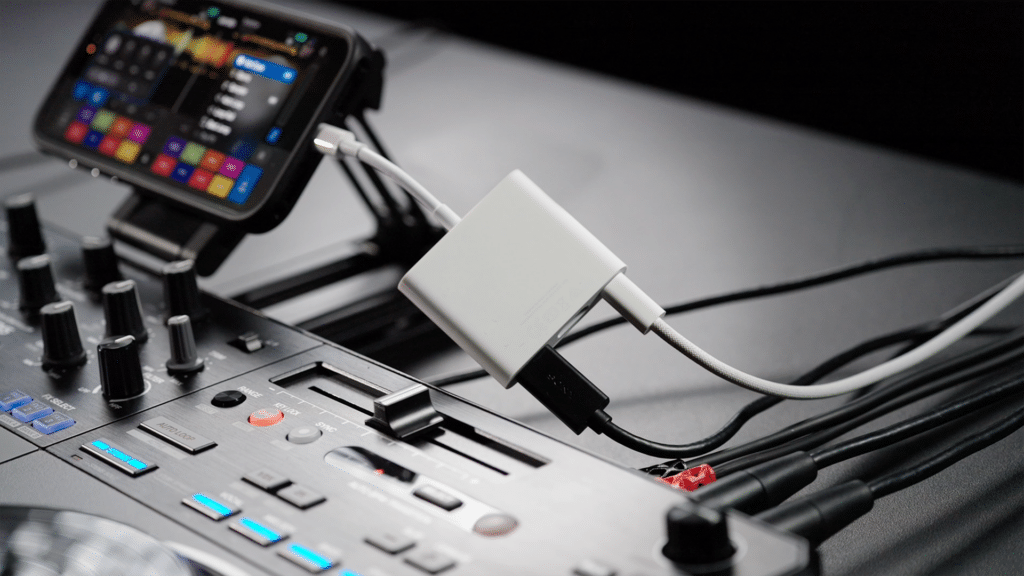
Your hardware is good to go. Next, make sure you have the right cable or adapter.
Your setup depends on two things:
- The connection on your iPhone or iPad, and
- How your hardware gets its power.
| Connection Type: | Your Hardware: | Your Typical Setup would be: |
|---|---|---|
| USB-C | Has its own power supply | iPhone or iPad → USB-C cable or adapter → hardware USB-C |
| USB-C | Is powered by USB | iPhone or iPad → powered USB-C adapter or hub → USB cable → hardware |
| Lightning | Has its own power supply or is powered by USB | iPhone or iPad → Apple Lightning to USB 3 Camera Adapter → USB cable → hardware |
Adapter Recommendations:
For setups that need adapters, we recommend:
- USB-C iPhone or iPad: Apple USB-C Digital AV Multiport Adapter
- Lightning iPhone or iPad: Apple Lightning to USB 3 Camera Adapter
For more detailed information on how to connect, watch the tutorial video or check out the support article.
Serato DJ for iOS Pricing Guide
Download the app for free, then unlock every feature in Serato DJ for iOS with a range of options. Here’s what each upgrade unlocks.
Free
What’s included:
- Feature-limited Serato DJ for iOS – basic FX, basic Serato Stems, 4x Cue slots, 4x Sample slots, Sync, Key Analysis, Pitch ’n Time DJ
Buy Outright: 149 USD
What’s included:
- The full Serato DJ for iOS app – see all the features in this table.
- This is a one-time purchase. No subscription required.
Subscribe to Serato DJ Suite: 14.99 USD/month
What’s included:
You can also buy Serato DJ Suite outright for 499USD.
Please note: If you have an existing Serato DJ Suite license or subscription, Serato DJ for iOS is already included. Simply log in to the app with your existing Serato account, and you’ll get full access to all features.
Please note: If you have an existing Serato DJ Pro license or subscription, you’ll need to upgrade to Serato DJ Suite to get full access to the app.
To see all the features included with Serato DJ for iOS, or to compare pricing plans, please check out the Pricing page for more details.
Download Serato DJ for iOS Today
Serato DJ for iOS is free to download from the App Store. To start using Serato iOS Transfer, update Serato DJ Pro or Lite on your laptop to version 5.0 or later.
Download Serato DJ for iOS free and DJ everywhere.